




TrueNAS Development Documentation
This content follows experimental development changes in TrueNAS 28, a future version of TrueNAS.
Use the Product and Version selectors above to view content specific to a stable software release.
Alerts
2 minute read.
The Alerts icon displays a list of current alert notifications. To remove an alert notification click Dismiss below it or use Dismiss All Alerts to remove all notifications from the list. You can also select the All Alerts, Critical, Warnings, Info, or Dismissed alert type tabs to filter alerts by type.
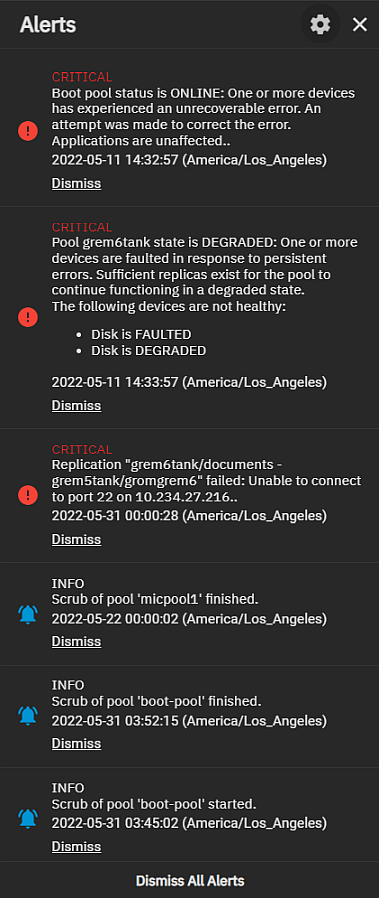
Use the icon to display the Alerts dropdown list with two options: Alert Settings and Email.
Select Alert Settings to add or edit existing system alert services and configure alert options such as the warning level and frequency and how the system notifies you. See Alerts Settings Screens for more information.
The Alert Settings Screens article includes information about the TrueNAS Enterprise high availability (HA) alert settings.
Select Email to configure the method for the system to send email reports and alerts. See Setting Up System Email for information about configuring the system email service and alert emails.
Each screen in TrueNAS displays relevant alerts with an admonition box.
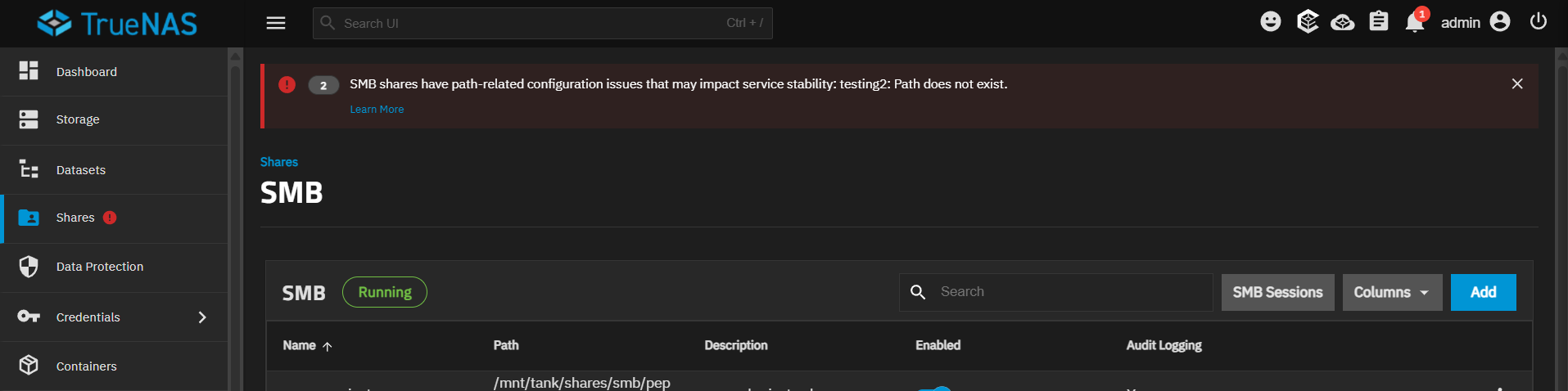
Click Learn More on an admonition to view documentation related to the issue, or click close to dismiss the alert.