




TrueNAS Development Documentation
This content follows experimental development changes in TrueNAS 28, a future version of TrueNAS.
Use the Product and Version selectors above to view content specific to a stable software release.
Shell Screen
1 minute read.
TrueNAS System > Shell is convenient for running command lines tools, configuring different system settings, or finding log files and debug information. When the user Shell setting is set to TrueNAS Console, the Shell screen opens and shows the TrueNAS Console Setup menu.
Accessing a web shell requires the Web Shell Access privilege. Shells for apps, containers, and VMs also require the write role for that resource type. The Full Admin role includes all these write roles.
| Shell | Required Privilege and Role |
|---|---|
| System > Shell (host system) | Web Shell Access privilege only |
| VM Serial Shell | Web Shell Access privilege plus the VM write role (VM_WRITE) |
| Container Shell | Web Shell Access privilege plus the container write role (CONTAINER_WRITE) |
| Container Shell (Apps) | Web Shell Access privilege plus the apps write role (APPS_WRITE) |
When authorized, shell commands run as the root user.
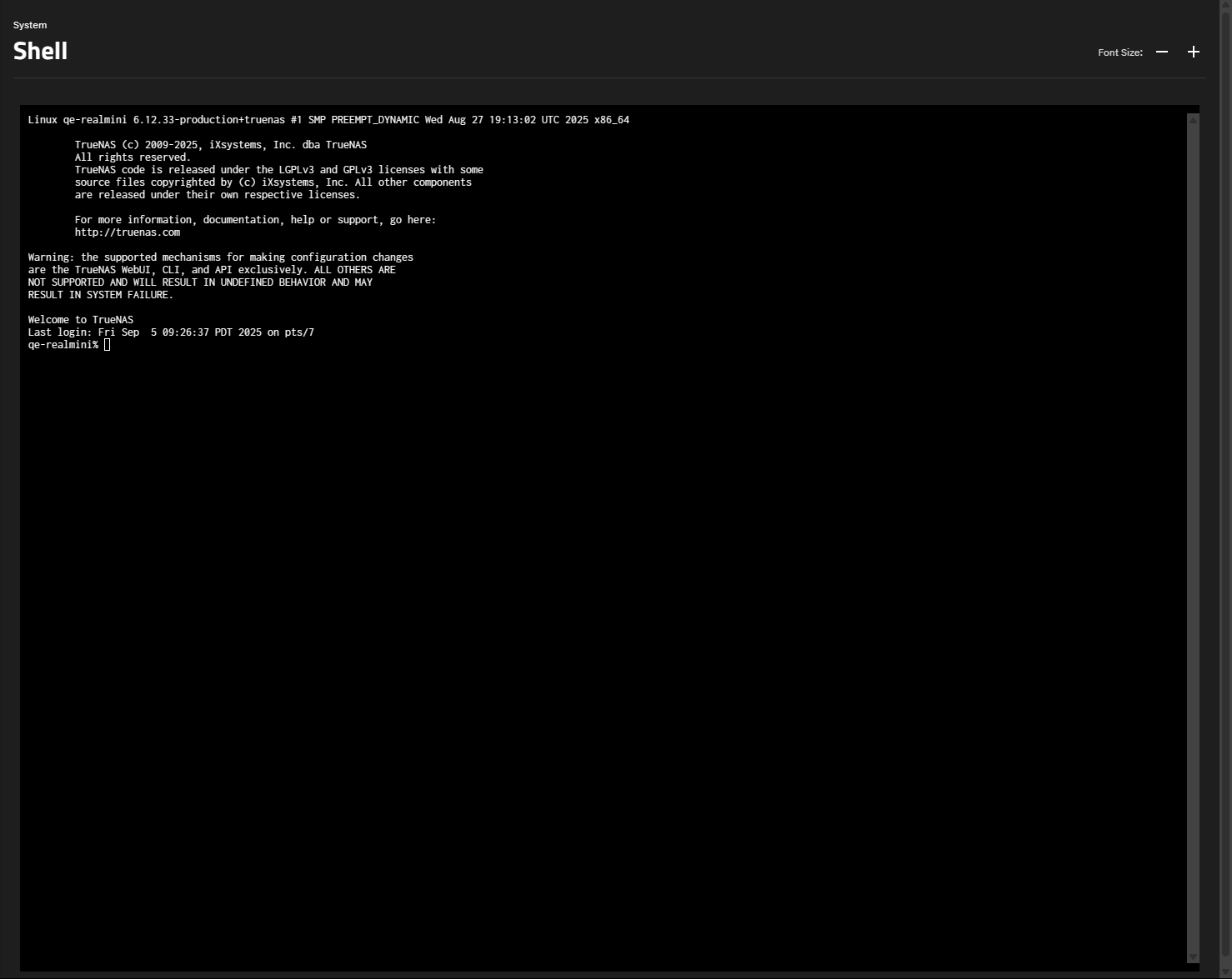
The Font Size remove and add buttons adjust the displayed text size in the Shell.
The shell window stores the command history for the current session.
Leaving the Shell screen clears the command history.