



TrueNAS Development Documentation
This content follows experimental development changes in TrueNAS 28, a future version of TrueNAS.
Use the Product and Version selectors above to view content specific to a stable software release.
Network Screen
1 minute read.
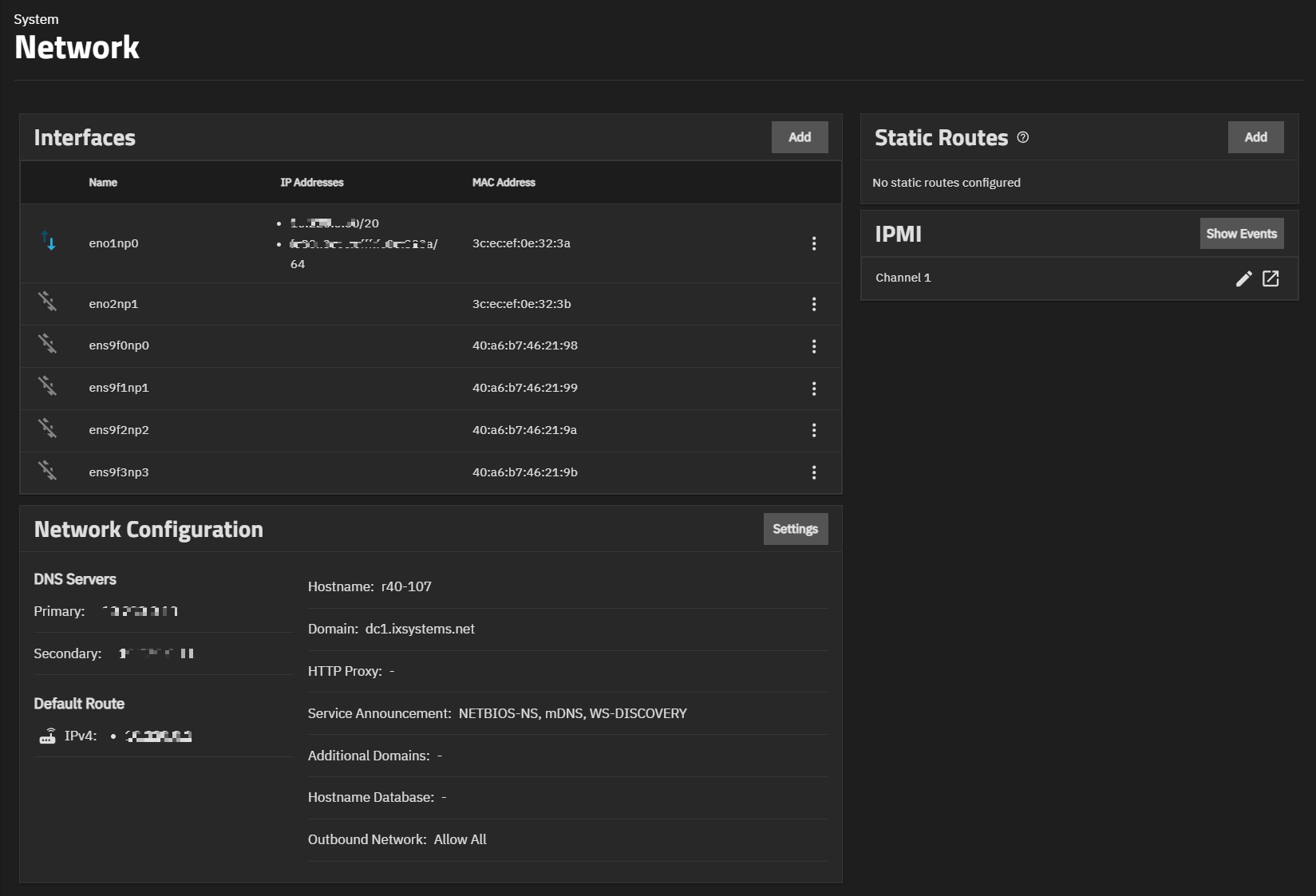
The TrueNAS Network screen shows network configuration and settings options, in widgets for active interfaces, static routes, and the network configuration. The Network screen also provides access to IPMI channels. IPMI only shows on systems with physical hardware but not for virtual machine deployments. To access the Network screen, go to System on the main navigation menu, then click Network.